
Secure Your DNS Traffic: Implementing DNS over TLS with Unbound
Tired of exposing your DNS queries in plaintext? Learn how to set up DNS over TLS (DoT) with Unbound to encrypt your traffic, verify the setup, and block bypass attempts with hands-on examples and packet analysis.


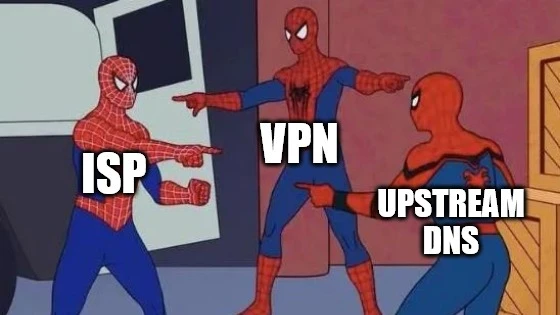
Who Do You Trust?
So far, we've taken steps to improve browsing privacy by switching from ISP provided DNS to privacy-focused resolvers and even setting up our own recursive DNS with Unbound. But there's still a catch! DNS queries are sent in plaintext over port 53, making them visible to anyone monitoring your network.
So...it's time to encrypt those queries with DNS over TLS (DoT).
Setting Up DoT on Unbound
To enable DoT, we'll configure Unbound to forward queries to an upstream DNS resolvers over TLS. This means Unbound will no longer act as a recursive resolver but will instead securely forward queries to trusted providers. Wee will be using Quad9.
Step 1: Update Unbound Configuration
Edit the Unbound configuration file:
sudo nano /etc/unbound/unbound.conf.d/pi-hole.confAdd the following forward-zone section to enable DoT:
forward-zone:
    name: "."
    forward-tls-upstream: yes
    forward-addr: 9.9.9.9@853
    forward-addr: 149.112.112.112@853
    forward-addr: 2620:fe::fe@853
    forward-addr: 2620:fe::9@853
name: ".": Forwards all queries to the specified upstream resolvers.forward-tls-upstream: yes: Enables DNS over TLS for forwarded queries.forward-addr: Specifies the IPv4 and IPv6 addresses of the upstream DNS resolvers, using port 853 (DoT).
Step 2: Verify Configuration and Restart Unbound
Check for syntax errors:
$ unbound-checkconf
unbound-checkconf: no errors in /etc/unbound/unbound.conf
Restart Unbound to apply changes:
sudo systemctl restart unboundStep 3: Test DoT with a Basic Query
Run a simple dig query to confirm DNS resolution still works:
$ dig yahoo.com
$ dig yahoo.com
; <<>> DiG 9.11.9 <<>> yahoo.com
;; global options: +cmd
;; Got answer:
;; ->>HEADER<<- opcode: QUERY, status: NOERROR, id: 9435
;; flags: qr rd ra; QUERY: 1, ANSWER: 6, AUTHORITY: 0, ADDITIONAL: 1

;; OPT PSEUDOSECTION:
; EDNS: version: 0, flags:; udp: 1232
;; QUESTION SECTION:
;yahoo.com.                     IN      A

;; ANSWER SECTION:
yahoo.com.              216     IN      A       74.6.231.21
yahoo.com.              216     IN      A       74.6.231.20
yahoo.com.              216     IN      A       98.137.11.164
yahoo.com.              216     IN      A       74.6.143.25
yahoo.com.              216     IN      A       98.137.11.163
yahoo.com.              216     IN      A       74.6.143.26

;; Query time: 61 msec
;; SERVER: 192.168.1.100#53(192.168.1.100)
;; WHEN: E apr 07 14:04:01 FLEST 2025
;; MSG SIZE  rcvd: 134
At first glance, there's no visible indication that DoT is being used. But don't worry we'll verify it in the next section.
Verifying DoT by Analyzing the Traffic
Let's capture and analyze the encrypted DNS traffic to confirm DoT is working. Start a packet capture to monitor both port 53 (plaintext DNS) and port 853 (DoT):
sudo tcpdump -i any -n port 53 or 853 -w capture-unbound-quad9-tls.pcapRun a dig query for yahoo.com:
dig yahoo.comUse tshark to inspect the captured packets:
tshark -r capture-unbound-quad9-tls.pcapPacket-by-Packet Breakdown
Now lets analyze the packet stream.
DNS Query from Client to Unbound
3 1.707611 192.168.1.17 → 192.168.1.205 DNS 75 Standard query 0xd618 A yahoo.comA client (192.168.1.17) sends a DNS query to Unbound (192.168.1.205) to resolve yahoo.com.
TCP Handshake for DoT
4   1.708065 192.168.1.205 → 185.222.222.222 TCP 80 34224 → 853 [SYN] Seq=0 Win=64240 Len=0 MSS=1460 SACK_PERM=1 TSval=2176260903 TSecr=0 WS=128
5   1.710311 185.222.222.222 → 192.168.1.205 TCP 80 853 → 34224 [SYN, ACK] Seq=0 Ack=1 Win=43440 Len=0 MSS=1460 SACK_PERM=1 TSval=2118620770 TSecr=2176260903 WS=4096
6   1.710362 192.168.1.205 → 185.222.222.222 TCP 72 34224 → 853 [ACK] Seq=1 Ack=1 Win=64256 Len=0 TSval=2176260905 TSecr=2118620770
The Unbound server initiates a TCP connection to an external DNS server (185.222.222.222) on port 853, which is typically used for DNS over TLS (DoT). This involves the standard TCP three-way handshake:
SYN: The Unbound server sends a SYN packet to initiate the connection.SYN, ACK: The external DNS server responds with a SYN-ACK packet to acknowledge the connection request.ACK: The Unbound server sends an ACK packet to complete the handshake.
TLS Handshake
7   1.710658 192.168.1.205 → 185.222.222.222 TLSv1 365 Client Hello
8   1.713035 185.222.222.222 → 192.168.1.205 TCP 72 853 → 34224 [ACK] Seq=1 Ack=294 Win=45056 Len=0 TSval=2118620773 TSecr=2176260906
9   1.714729 185.222.222.222 → 192.168.1.205 TLSv1.3 3241 Server Hello, Change Cipher Spec, Application Data, Application Data, Application Data, Application Data
10   1.714761 192.168.1.205 → 185.222.222.222 TCP 72 34224 → 853 [ACK] Seq=294 Ack=3170 Win=62848 Len=0 TSval=2176260910 TSecr=2118620774
The Unbound server sends a TLS Client Hello message to start the TLS handshake. The external DNS server responds with a Server Hello, followed by Change Cipher Spec and multiple Application Data packets, indicating that the TLS handshake is complete and encrypted data exchange can begin. The Unbound server acknowledges the receipt of these packets.
Encrypted DNS Communication
11   1.718406 192.168.1.205 → 185.222.222.222 TLSv1.3 152 Change Cipher Spec, Application Data
12   1.721075 185.222.222.222 → 192.168.1.205 TLSv1.3 151 Application Data
13   1.721075 185.222.222.222 → 192.168.1.205 TLSv1.3 151 Application Data
14   1.721101 192.168.1.205 → 185.222.222.222 TLSv1.3 224 Application Data
15   1.724471 185.222.222.222 → 192.168.1.205 TLSv1.3 230 Application Data
16   1.724570 192.168.1.205 → 185.222.222.222 TCP 72 34224 → 853 [ACK] Seq=526 Ack=3486 Win=64128 Len=0 TSval=2176260920 TSecr=2118620781
17   1.724830 192.168.1.205 → 185.222.222.222 TLSv1.3 224 Application Data
18   1.728173 185.222.222.222 → 192.168.1.205 TLSv1.3 695 Application Data
The Unbound server and the external DNS server exchange encrypted DNS queries and responses using TLS. The Application Data packets contain the actual DNS query (for yahoo.com) and the corresponding response, but these are encrypted and not visible in the packet capture.
Could Someone Bypass DoT As Well?
Our network now has DoT enabled and all queries are forwarded to our networks DNS server, but could a device somehowe bypass our setup? Yes, we just need to bypass the UDP port 53 which is used internally to forward the request to Pi Hole and then over port 853 to upstream DNS resolver.
Lets try accessing Cloudfare DNS with dig and try to find the IP of a blocked domain.
$ dig +tls @1.1.1.1 analytics.yahoo.com
rc.yahoo.com.
global-accelerator.dns-rc.aws.oath.cloud.
a7de0457831fd11f7.awsglobalaccelerator.com.
13.248.158.7
76.223.84.192
As we can see, even though our DNS sinkhole blocks the the site and regular DNS queries are forwarded to Pi-Hole, we are able to access the blocked site using +tls flag. The flag tells dig to wrap the DNS request in an encrypted TLS tunnel before sending it.
Result? The blocked domain resolves successfully, bypassing Pi-hole entirely.
Blocking External DoT
To enforce DoT exclusively through your Pi-hole/Unbound setup, you need to block external DoT traffic at the firewall level. As this can be device specific the general strategy is to create 2 rules:
- Allow Rule: Allow your Pi-hole to talk to the WAN on port
853. - Drop Rule: Block everyone else on the network from talking to the WAN on port
853.
What's Next?
In the next post, we'll look into DNS leakage. Even when we have encrypted queries there is crusial info leaked in the process. Stay tuned!

Including External Libraries in CMake Projects
Learn how to use CMake’s FetchContent module to automatically download and integrate libraries like CMSIS into your embedded projects, eliminating the hassle of manual copying and updates.

Cross-Compiling OpenOCD: A Step-by-Step Walkthrough
Learn how to build OpenOCD binaries on Ubuntu 22.04 for both the ARM64 and AMD64 target architectures. A great way to share a consistent OpenOCD build across your Debian systems

Managing Multi-Compiler CMake Projects in VS Code
Learn how to build host utilities alongside embedded firmware in CMake by using ExternalProject. This guide covers setting up multiple compilers, integrating utility projects, and configuring VS Code workspaces for smooth IntelliSense.
Whether you're building something new, fixing stability issues, or automating what slows your team down — we can help.